







Table of Contents
Quick Summary
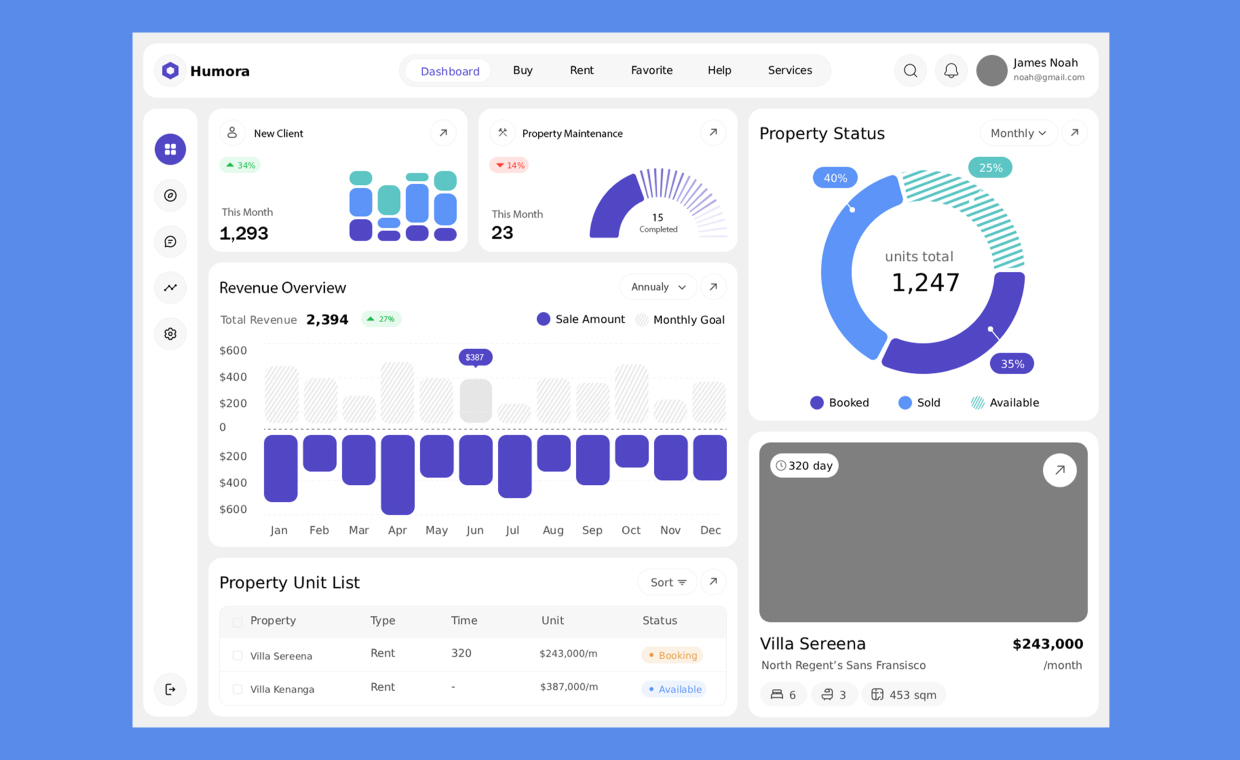
- Captures tenant requests, inspections, and vendor updates in a single desktop and mobile workspace.
- Organizes work orders based on safety, habitability, and risk rather than request arrival order.
- Schedules repeatable tasks like HVAC filter replacements and safety inspections on a clear calendar.
- Equips technicians on-site with full job details, photos, and live status updating via property management maintenance tracking software.
- Monitors labour, parts inventory, and contractor expenses across properties to support accurate budgeting.
- Generates weekly completion rates and repair trends to reduce repeat issues and control operational expenses.

Courtesy - Magnific
Property managers handle recurring inspections, urgent repairs, tenant requests, vendor coordination, and maintenance budgets across multiple buildings. Without a consistent tracking method, requests remain scattered across emails, phone calls, spreadsheets, and hallway conversations. A centralized maintenance process gives teams a shared record of each issue, its priority, assigned worker, cost, and completion status. The software delivers value when property managers establish clear rules for using that record every day.
Property managers need maintenance records that follow work from the initial request through completion. A useful system captures the property, unit, asset, problem description, assigned worker, status, labour time, parts, and supporting photos. Property management maintenance tracking software brings these details into one mobile and desktop workspace, helping teams assign work orders, adjust priorities, and review activity across properties. The right operating rules determine whether those records improve daily decisions.
Set Up A Consistent Request Process
Courtesy - cdn.ptod.website
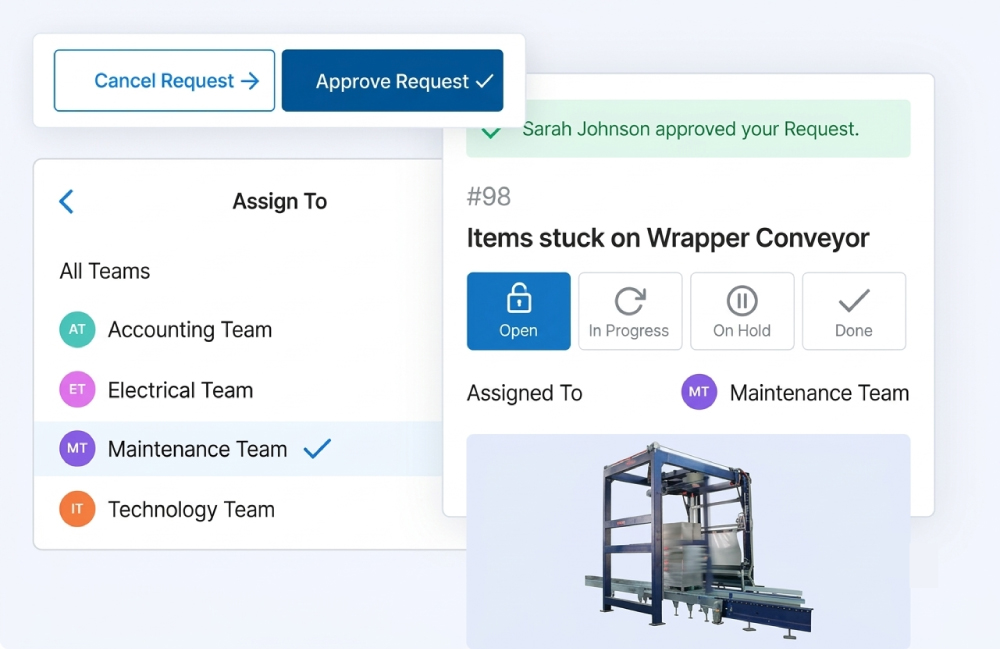
Every request should enter the same workflow, regardless of its source. Staff members can record tenant calls, inspection findings, employee observations, and vendor recommendations as work orders instead of keeping separate notes.
Each work order needs a clear location and description. “Leaking faucet in Unit 204” gives a technician more useful direction than “plumbing issue.” Photos, access instructions, and tenant availability reduce follow-up calls before dispatch.
Property managers should also define status options, such as new, assigned, in progress, waiting for parts, waiting for approval, and completed. Consistent statuses show where work is stalled and prevent closed requests from disappearing without evidence.
Prioritise Work By Risk And Impact
Courtesy - cdn.ptod.website
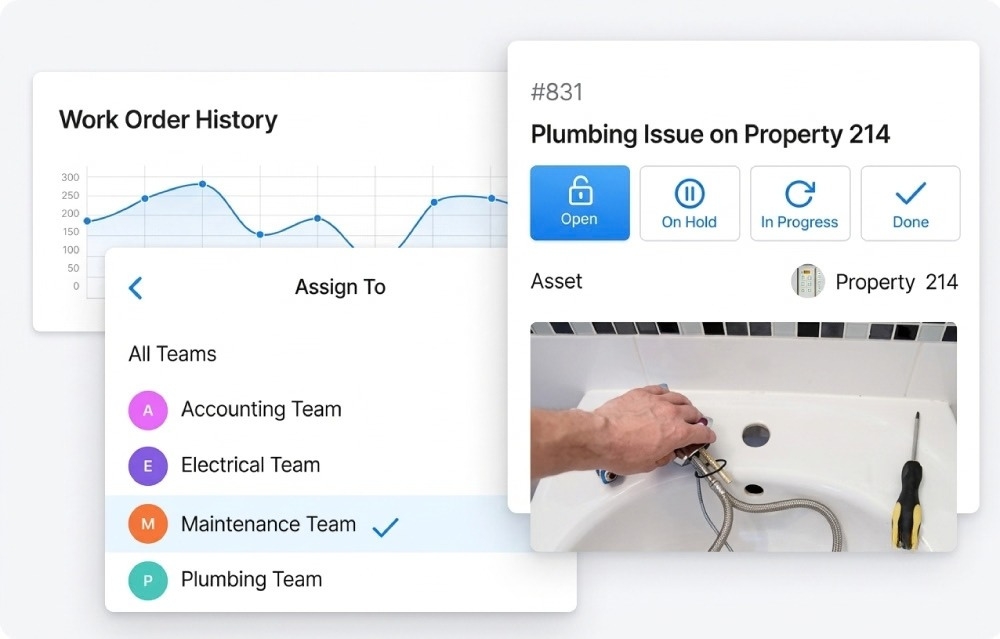
A maintenance queue should reflect consequences, not simply arrival time. A failed smoke detector, active water leak, or broken entry lock requires faster attention than a cosmetic repair.
Managers can assign priority rules based on safety, habitability, asset damage, tenant impact, and legal requirements. Those rules help coordinators dispatch work consistently, even when several requests arrive together.
The system should record the reason for each urgent assignment. A short note protects the decision trail and helps managers review whether emergency classifications match actual conditions.
Build Preventive Maintenance Into The Calendar
Courtesy - cdn.ptod.website
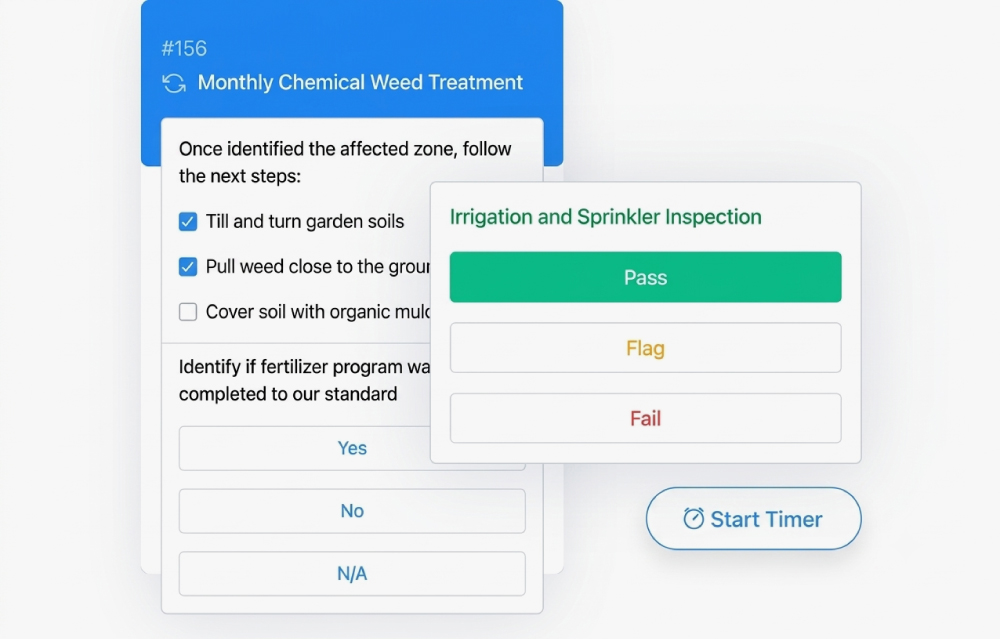
Reactive repairs consume time when recurring tasks remain in personal calendars or paper binders. Property managers should schedule repeatable work orders for inspections, filter changes, lawn service, sprinkler checks, and fire equipment reviews.
Each recurring task needs an interval, responsible person, property, asset, and completion standard. A checklist can document readings, photographs, findings, and corrective work during the visit.
Preventive schedules also expose missed work before it creates a tenant complaint or equipment failure. Managers can review overdue tasks by property and assign labor before the backlog grows.
Give Technicians Complete Job Context
Courtesy - cdn.ptod.website
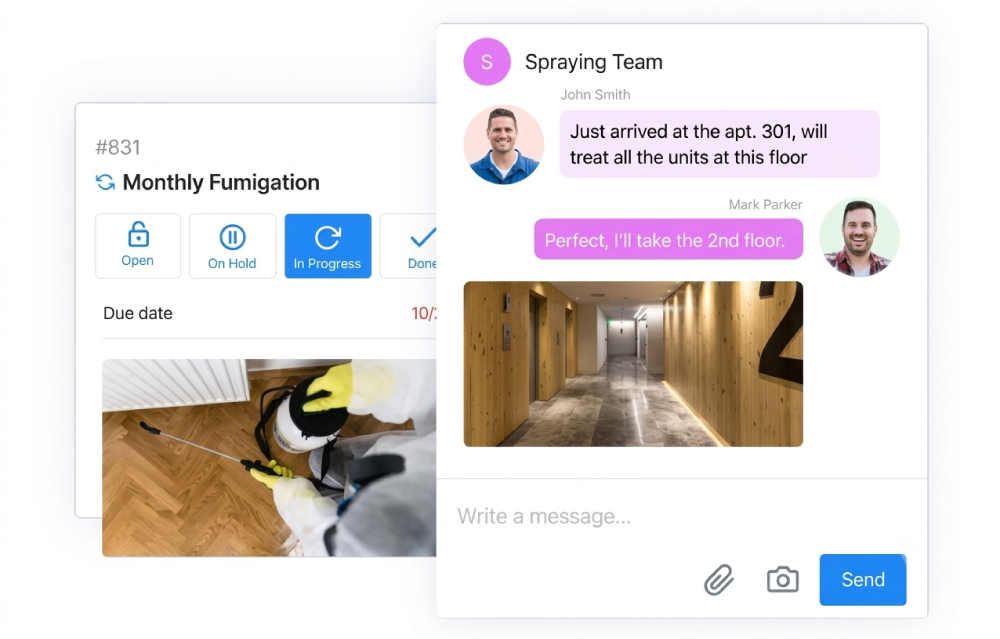
A technician should open a work order and find enough information to act without repeated calls to the office. The record should include the issue, location, access details, priority, previous notes, and relevant attachments.
Mobile access lets workers update status from the property instead of waiting until the end of the day. Photos before and after a repair create a practical record for managers, owners, tenants, and vendors.
Messaging inside the work order keeps decisions attached to the job. This approach prevents a text message or email from becoming the only place where approvals or changes are documented.
Track Parts, Vendors, And Costs
Courtesy - cdn.ptod.website
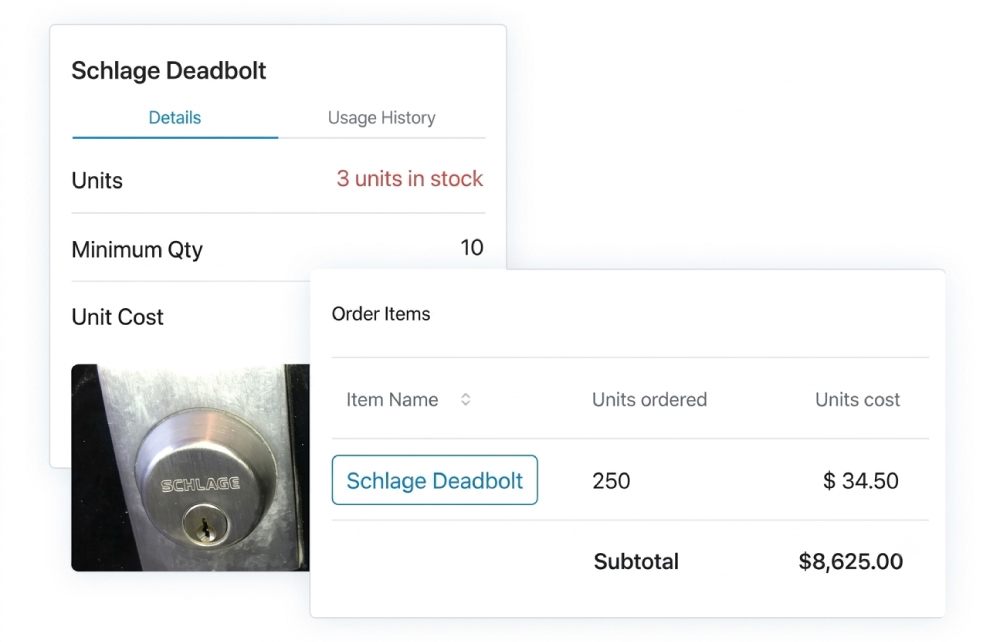
A maintenance record should show more than whether a request was closed. Managers also need to see parts used, labour time, vendor charges, and additional work discovered during the repair.
Inventory management records help teams monitor frequently used items and receive low-stock alerts. Keeping common parts available reduces delays caused by repeated purchasing trips or incomplete dispatches.
Vendor records should connect contractor activity to the related property and work order. Managers can then compare response times, completion rates, and spending using consistent job data rather than memory.
Review Measures That Support Decisions
Courtesy - cdn.ptod.website
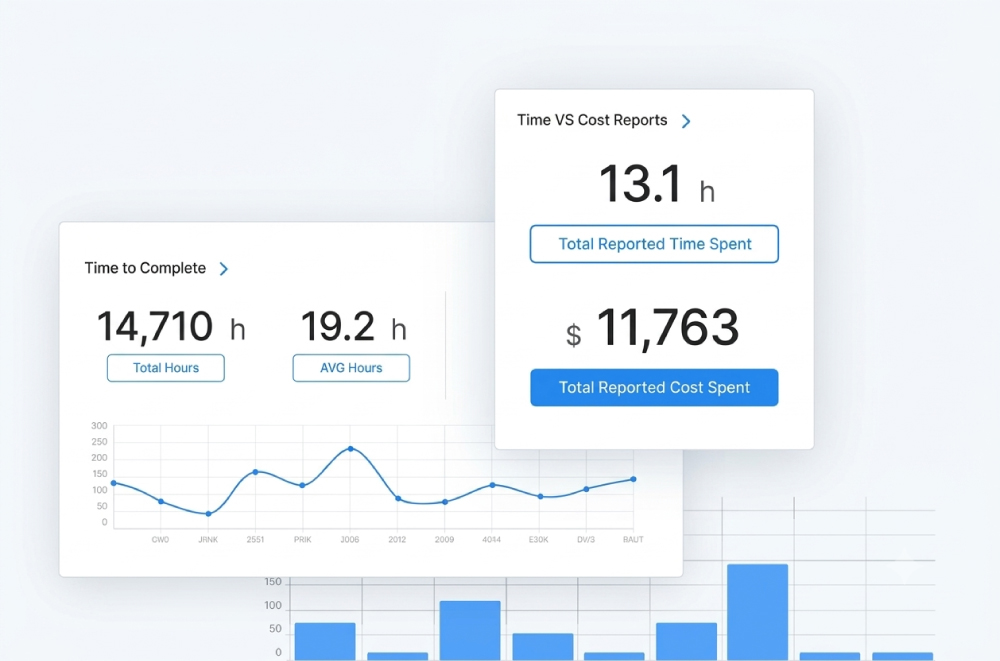
Weekly reviews turn maintenance records into management information. Useful measures include work order completion rate, overdue requests, average completion time, unplanned maintenance, and maintenance cost by property.
A high volume of repeat repairs often points to an aging asset, poor installation, or an incomplete previous fix. Managers should inspect the related work orders before approving another isolated repair.
Cost analysis also supports budget planning. Comparing labour, parts, and vendor charges by property helps managers identify recurring expenses and decide where preventive work deserves funding.
Protect Data Quality
Software cannot correct incomplete records. Property managers should train staff to use the same property names, asset labels, priority definitions, and closure requirements across every building.
A completed work order should state what the worker found, what action occurred, which parts were used, and whether follow-up remains. Supervisors can audit a sample of closed requests each week and quickly correct gaps.
Simple rules improve reporting accuracy without adding unnecessary administrative work. A short required checklist often produces better records than a long form workers avoid using.
Conclusion
Property management software for tracking maintenance works best when it supports a defined operating process. Property managers should begin by standardizing request entry, priority rules, recurring schedules, job notes, and closure evidence. After four weeks, a manager can review overdue work, repeat repairs, completion rates, and costs for each property. That review provides a practical baseline for adjusting staffing, vendor assignments, inventory levels, and preventive schedules based on recorded maintenance activity.
Also Read: 6 Best Construction Estimating Software – Go Digital!
FAQs on Property Management Maintenance Tracking Software
01. What is property management maintenance tracking software?
It is a centralized digital tool that allows property managers to create, assign, schedule, and track maintenance work orders, vendor tasks, and material costs across multiple properties from a desktop or mobile device.
02. How does digital tracking improve work order management?
It replaces scattered emails, spreadsheets, and phone calls with a shared real-time record that documents the problem, assigned technician, status updates, and repair history.
03. Can preventive maintenance tasks be automated?
Yes, recurring tasks like HVAC inspections, lawn care, and safety checks can be scheduled at fixed intervals with step-by-step checklists to prevent equipment failures.
04. How do technicians update work order statuses on-site?
Technicians use mobile app access to view job details, upload before-and-after photos, attach parts notes, and update statuses directly from the field.
05. How does maintenance tracking help in budget and cost control?
It captures exact labour hours, parts used, and vendor invoices per property, helping managers identify repeat repairs, evaluate vendor efficiency, and optimize future operational budgets.
Courtesy - Featured Image(Magnific)
Author & Expert Review
Written & Verified By Expert:  Vaidehi Desai | Owner – Gharpedia | MBA (Finance), PGDHRM

| Credentials: Owner and Operations Lead of Gharpedia, a venture of Sthapati Designers & Consultants Pvt. Ltd., with a strong background in finance, business operations, and human resource management. Experience: Business and operations professional with 10+ years of experience managing an educational and media platform focused on architecture, construction, and home-building, with experience in platform management, finance, business operations, and organizational quality standards. Expertise: Specializing in finance, business operations, human resource management, content quality, and organizational standards. She reviews content to ensure factual reliability, operational accuracy, consistency with organizational standards, and overall quality across architecture, construction, and home-building topics. Find her on: LinkedIn |